
Unpaid Orders
After you send a payment request, your request will be visible under your orders menu as an unpaid order as seen below. These orders have NOT been paid.
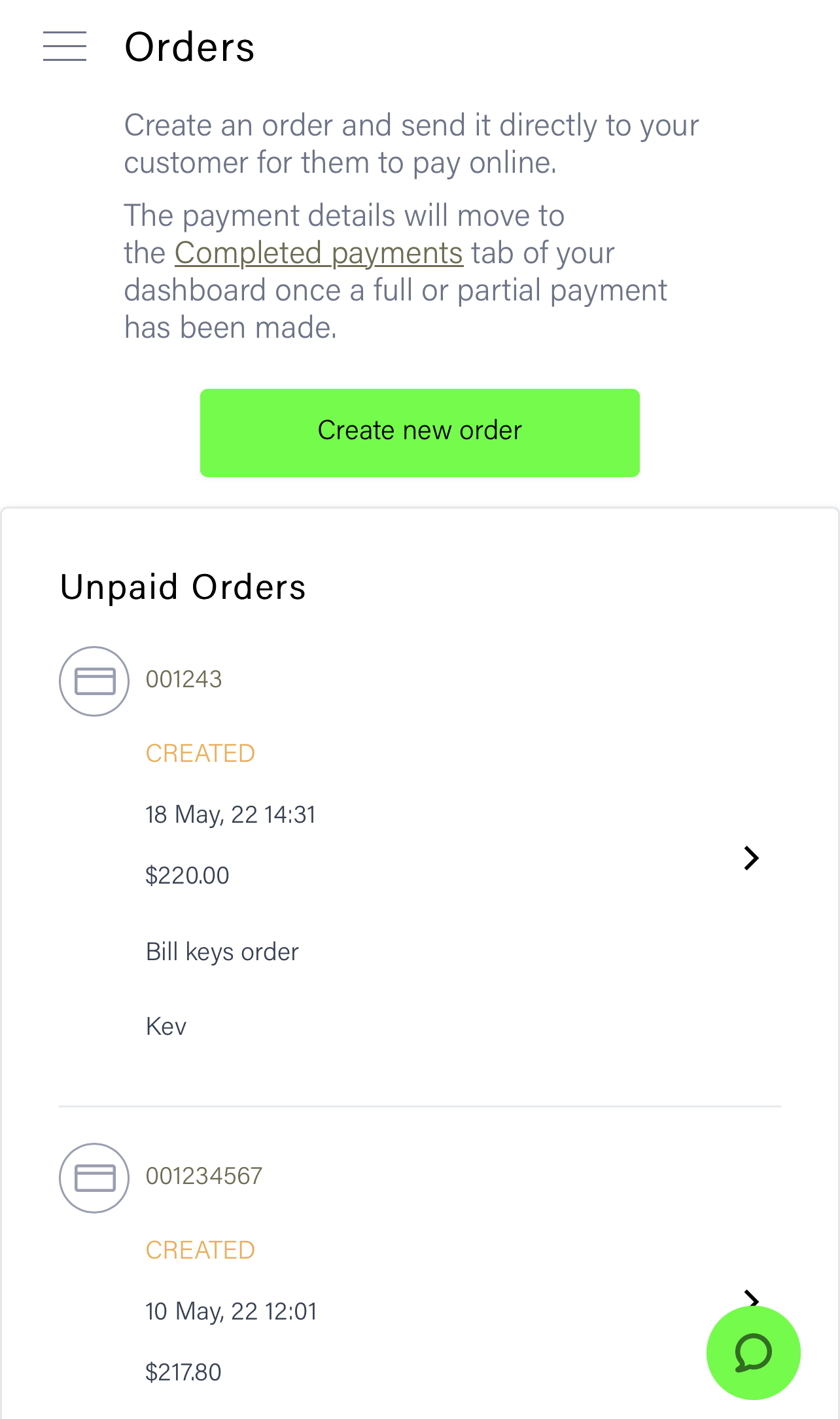
TIP - You can click on the arrow to the right of the unpaid order to resend the request or process it on your device with the customers payment detail.
Paid Orders
Once a payment request has been paid, it will disappear from the unpaid orders list and appear in the Completed payments menu as shown below.
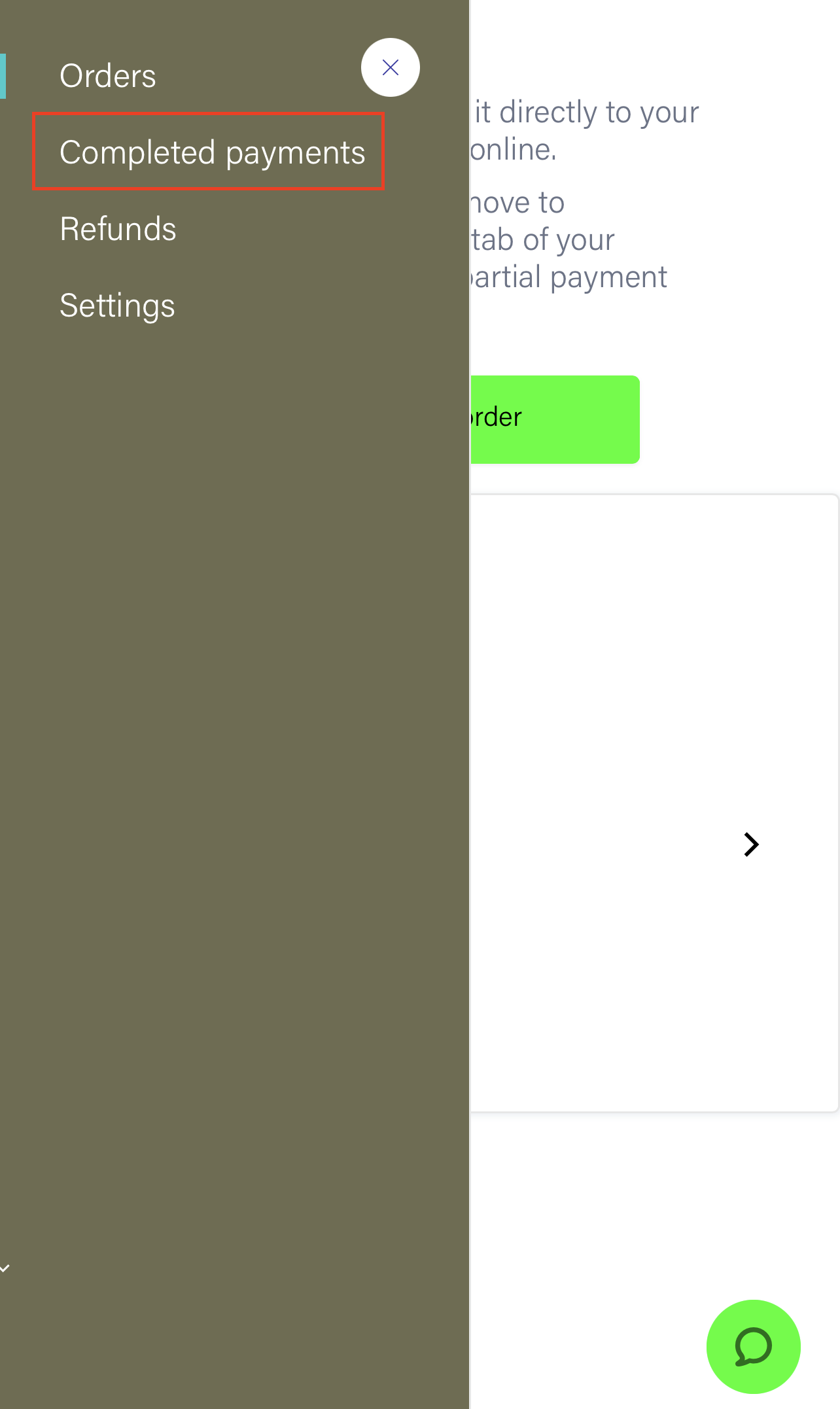
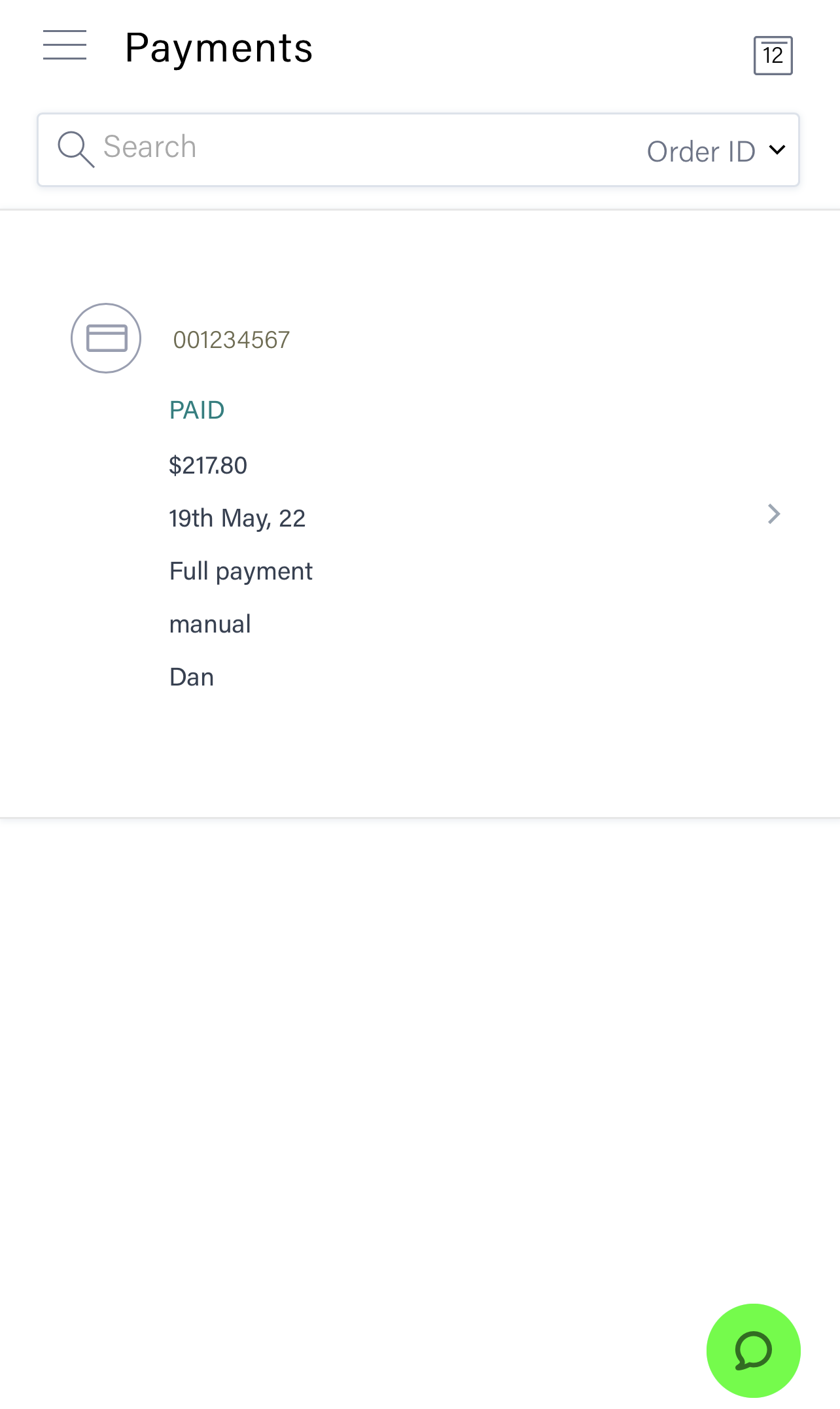
If an order is in the completed payments list, your customer has made a payment and you will receive your funds as per the payout cycle outlines in our Receiving Funds Guide