
Cancelling a payment request in an easy process. If your customer has already actioned your payment and you'd like to refund them, check out or Refunding a payment guide.
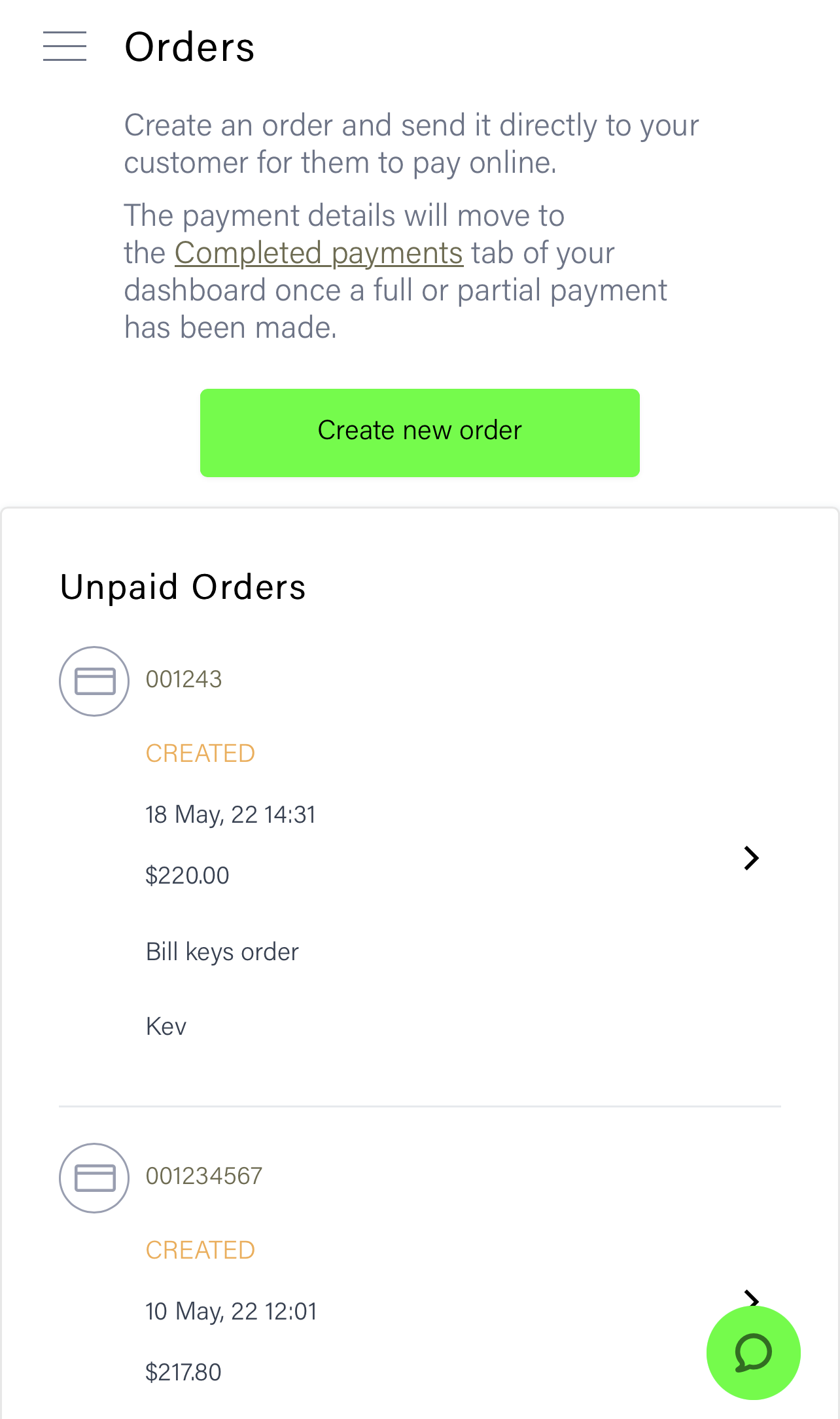
Step 1: Find the unpaid order you'd like to cancel.
Open up the LaddrPay dashboard and head to the orders menu. Scroll down to find the unpaid order you'd like to cancel the request for.
Step 2: Cancelling the order
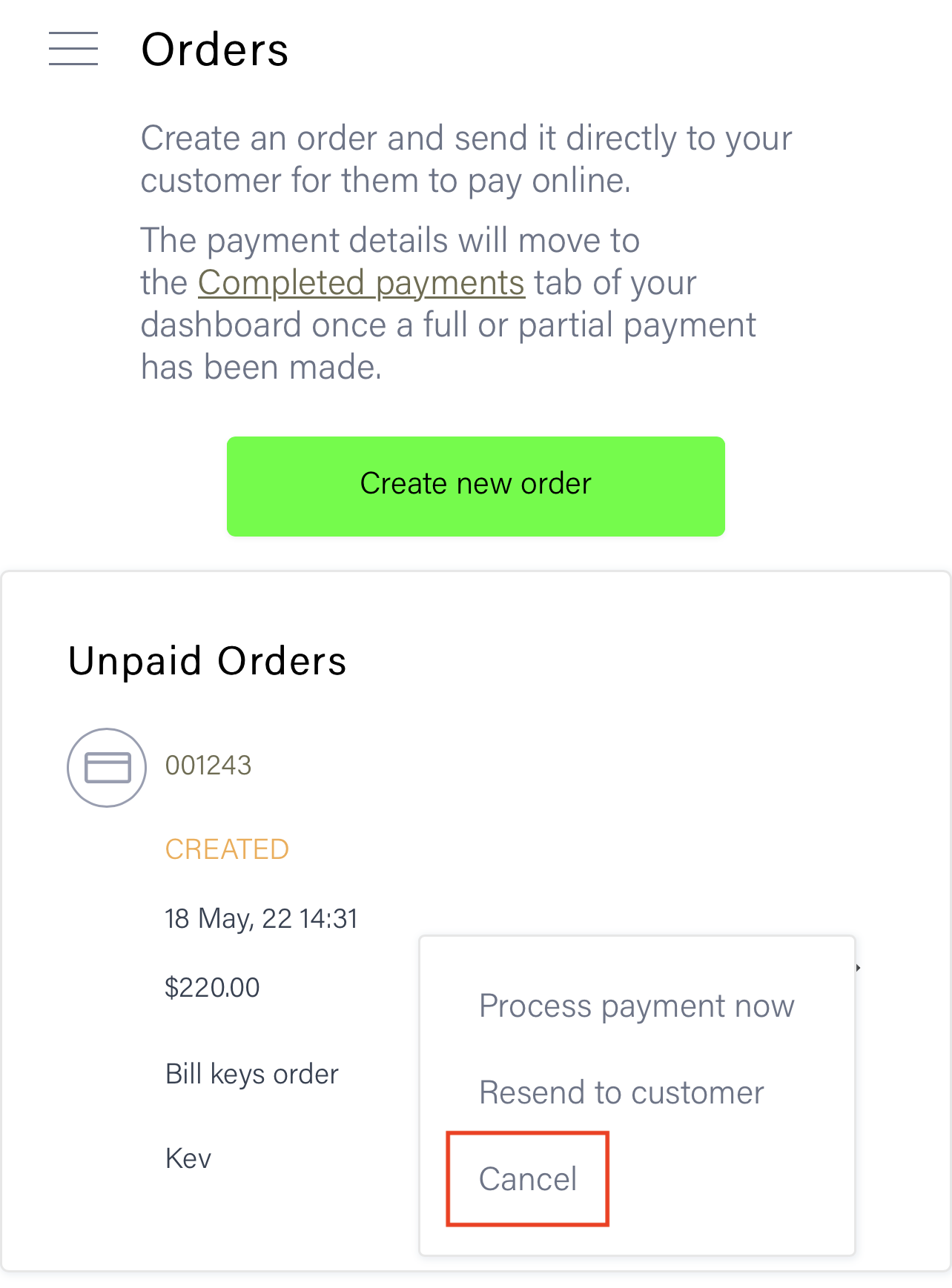
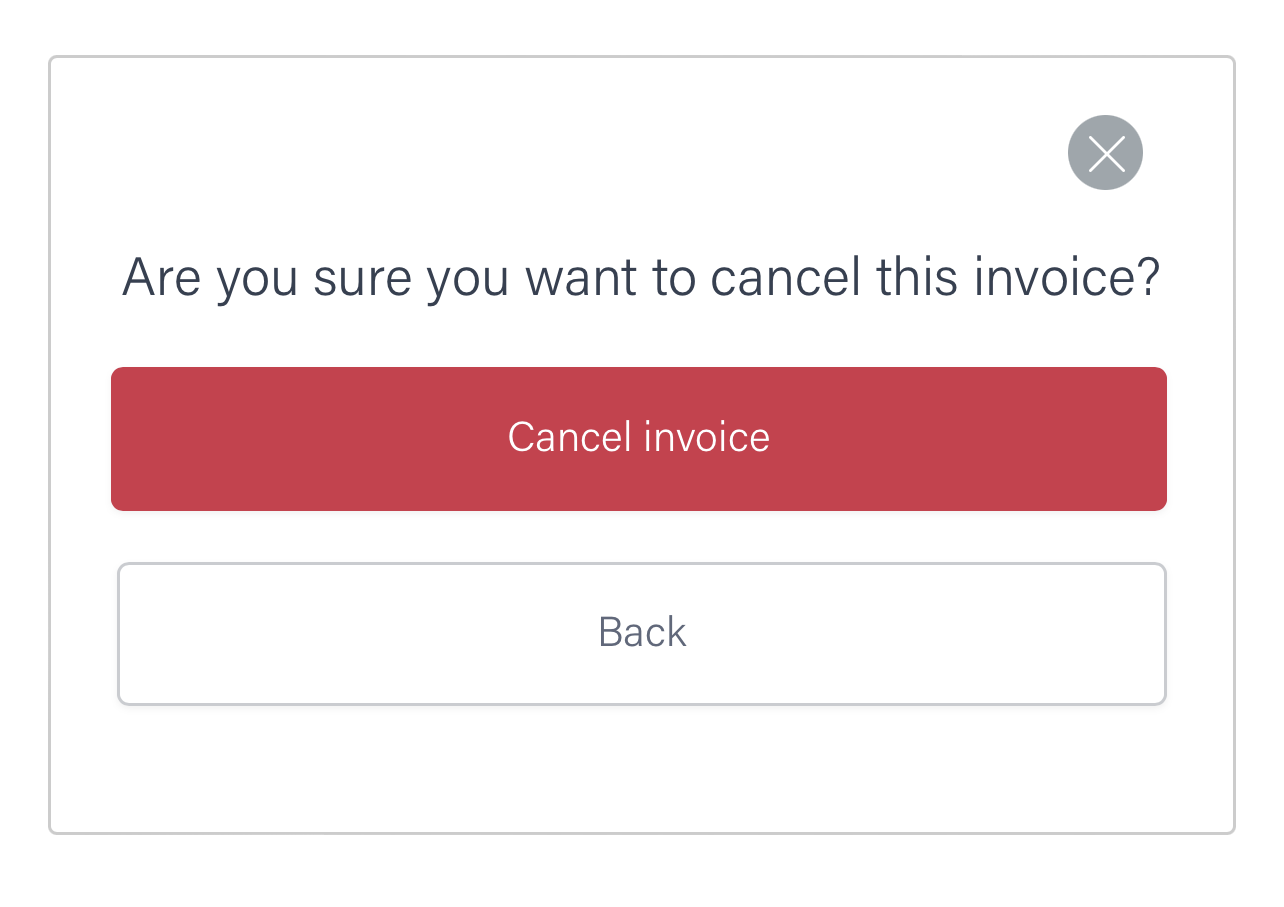
Click the arrow next to the order you'd like to cancel and click cancel. Next confirm you'd like to cancel the payment request by clicking 'Cancel order'.
TIP - Make sure you're 100% certain you'd like to cancel the payment request before clicking cancel order as this cannot be reversed.
 (update screenshot)
... and you're done!